Turn Your Photos Into a Portfolio: Make a Photography Website in Seconds
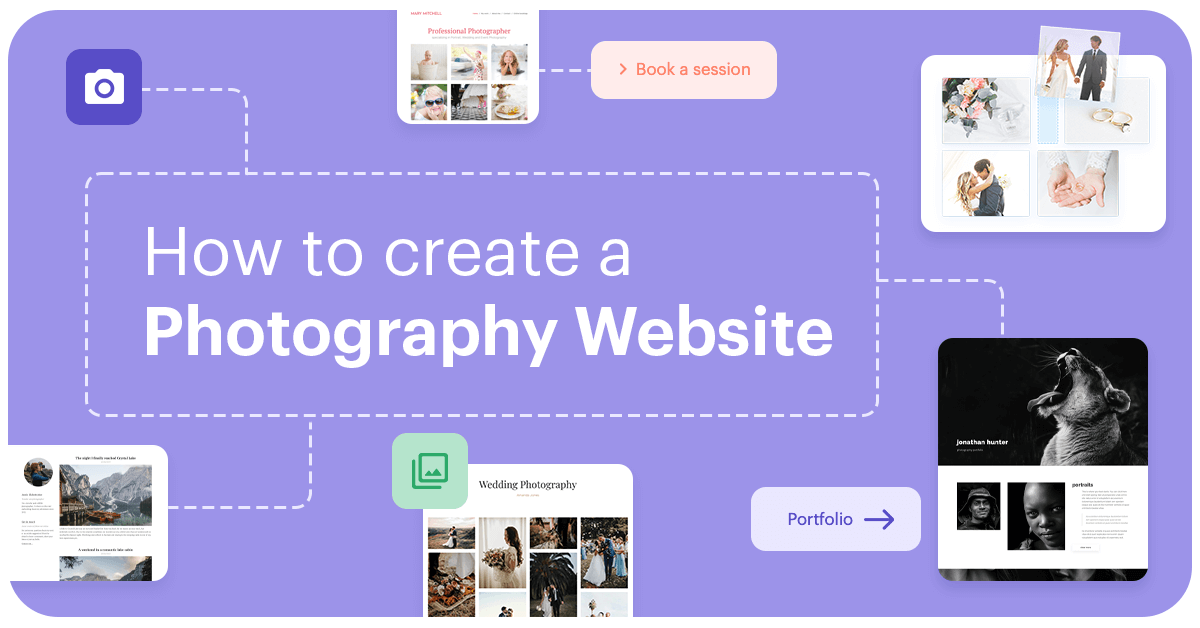
Photographers, your work deserves to be seen. Whether you specialize in weddings, portraits, nature, or commercial shoots, having your own photography website gives you a professional space to showcase your art and attract clients.
This step-by-step guide will show you how to create a photography website in seconds—no coding, expert writing, or technical skills required. From setup and design to publishing your first gallery of images, you can build your online presence quickly and affordably.
Here’s what you’ll learn:
- Why You Need a Photography Website
- How to Choose the Best Photography Website Builder
- How to Build a Website for Photographers Using Webnode
- How to Promote Your Photography Website
- The Best Way to Design Your Photography Website
- Answers to FAQs
Strap on your camera, ready a roll of film or two, and zoom in on how to make a photography website.
Why You Need a Photography Website
Many photographers and artists rely exclusively on social media platforms like Instagram, Facebook, TikTok or Pinterest to share their work. While these platforms are mostly free and great for visibility, they don’t give you full control over how your portfolio looks or how clients contact you.
Another issue with social media is that the content uploaded there has an extremely short lifespan. With this marketing strategy, be prepared to upload regularly if you want fresh eyes on your latest portraits. Profiles that don’t have a steady stream of content are often considered dormant and lose followers quickly.
In short, social media is a fantastic tool—but it can feel like you work for the tool. It’s the other way around with a website. Your website works for you.
A professional photography website offers:
- Credibility
No more eye-rolling when you tell people you’re a photographer. Clients, friends, and family will see you through a new lens. An established presence online makes you look official, not a hobbyist, not just someone playing with a camera phone.
- Portfolio showcase
Display your best work in custom-made galleries. Unlike on social media, you can shape a website to match your tastes, and online visitors can walk through your personalized galleries digitally.
- SEO visibility
Appear in Google searches for local or niche photography services. In addition to being taken seriously for having an online presence, a website with great search engine optimization (SEO) helps the right people find you.
- Direct client contact
Allow visitors to book sessions, buy packages, or make inquiries about services directly. Unlike social media, a website works for you even when you’re not there.
In summary, building a photography website for people to discover gives you ownership, flexibility, and a space that truly reflects your brand. It’s a valuable, low-maintenance tool to be used alongside your social media efforts.
Tip: To learn more about the pros and cons of these tools, read more about a website vs. social media.
Choosing the Best Photography Website Builder
Picture this: a platform that’s simple to use, looks professional, and fits your workflow—after all, you want to keep your website online for as long as you intend to be a working photographer. But there are so many options to choose from. That’s where Webnode comes in.
Here’s why Webnode is ideal for creating a photography website:
AI-Powered Website Creation
With Webnode’s AI Website Builder, you can make a photography website in seconds. The system automatically suggests designs, structures, and even text tailored to photographers. It’s perfect for anyone learning how to make a photography website for beginners. All you need to do is work with some short prompts, and then a unique photography showcase will be generated.

From there, feel free to let your inner creative run wild. Replace or edit texts, structures, and pictures to your satisfaction before publication. You can continue experimenting even after publication. Ensure that, no matter what, the website you make will always have your personal touch.
Writing Assistance
Not every photographer is going to be an expert persuasive writer. But where Webnode is concerned, you don’t need to be a master copy or content writer to get things up to scratch.
Whenever you edit the texts on your site, Webnode’s AI Assistant is there to support you. It helps photographers generate excellent texts, sections, and even pages while allowing them to focus on what they’re really passionate about: photography and visuals.

Easy-to-Use Design Tools
Webnode offers many website templates made specifically for visual creators. Using the drag-and-drop editor, you can easily adjust sections, layouts, fonts, and colors—perfect for making a photography website that reflects your personal brand.

Art & Design templates for photographers
Whether you go for AI or templates for your website, not a single line of code is required.
“... I worked with Webnode in the past and loved how user-friendly it was. I knew when it was time to build my website, Webnode would be perfect!”
Katie Willey, The Bubble Bar
Time-Saving Solution
You can make a photography website in seconds and update it anytime. Webnode’s AI and templates handle most of the technical work for you, so you can focus on shooting and editing. Remember, time is money.
Affordable Plans
Webnode is much cheaper than hiring a web designer, who could charge you hundreds of dollars. You can start with a free plan (we won’t even ask you for your credit card details), and later you can upgrade to premium options, depending on the needs of your business.
All-in-One Package
Simply put, Webnode provides everything you need for website building for photographers: hosting, SSL certificate for security, domain registration, SEO tools, and blogging options, all in one dashboard—free of charge.
Step-by-Step: How to Build a Website for Photographers Using Webnode
1. Register and Create an Account
Go to Webnode.com and register for free.
You will need a domain name for your website. This is what internet users will type into their web browsers or into search engines (like Google and Bing) to find you.
You can start with a free subdomain like urbanphotos.webnode.com, and later upgrade to a custom domain like urbanphotos.com for a more professional look. For more information on custom domains, see our post on why to register your domain name.
When possible, pick a domain name that is personal and sounds professional to increase your credibility.
2. Use AI or Website Templates
Next, choose whether to let the AI Website Builder instantly create your own photography website or choose from stunning photography website templates to start customizing.
The AI Website Builder
No need to stare at a blank canvas—just by describing your business in a few words, you’ll create a modern photography site in a flash.

With AI, a click of a button allows you to:
- Generate text titles, page names, and paragraphs for a flowing website.
- Pair and generate text and visual content automatically, saving time.
- Structure pages and menus with purpose in mind, making them easy for visitors to read and navigate.
- Get results in as little as 30 seconds—get a picture-perfect website today.
Tip: Explore how the AI Website Builder saves you time
Website Templates
Head over to the Art & Design gallery to check out Webnode’s photography website templates. These mobile-friendly, responsive templates were made by professional designers with artists and photographers in mind.

Webnode website templates
Preview and pick an attractive design. Customize layouts, texts, images, and colors to match your needs and create something truly unique.
3. Set Up Your Website Design
Now you’re one step closer to having a picture-perfect photography site. Regardless of whether you used AI or a template, you have a decent draft on which to build your brand identity.
Before you make any adjustments, consider your specialization. Astrophotography, macro photography, and fashion photography will benefit from different aesthetics to match their respective audiences.
Should your design be minimalist or bold and modern? With a draft ready, you’re halfway there. Adjust your fonts, colors, and layout to build a strong, thematic brand identity.
Whatever your preference, Webnode’s drag-and-drop editor makes setting up a photography website intuitive and fast.
"As an illustrator, I was looking for a platform to present my work. Webnode has helped me to build a beautiful, clear website."
Dauphine Mulder, dauphinemulder.com
4. Upload Your Portfolio
Photographers, your portfolio is the heart of your site. With Webnode, once you open a page, all it takes are two clicks to create a gallery. From there, you can upload images or albums and organize them as you please.

Photo gallery made with Webnode
For photography portfolio websites, consider dividing your work by categories—portraits, weddings, landscapes, or events—to make navigation easier for visitors. This has the bonus of looking professional, too.
Give your gallery a descriptive heading, background color, overlay, or even an animation to suit your needs. Decide on your content width or whether you need a decorative border. Webnode offers plenty of ways to make your galleries unique, including four display styles:
- Basic
- Photo feed
- Slideshow
- And horizontal
All the above mixed in with your website design should create a bespoke portfolio to attract visitors, fellow photographers, and potential clients.
Show off your best work, nothing you would leave on the cutting room floor. Though it may go against general wisdom, people do judge books by their covers—the same goes for your portfolio.
Tip: Check out how to make a website slideshow on Webnode.
5. Publish and Promote Your Photography Website
Once your site is ready, publish it with a single click. And just like that, you’re live.
Now that you’re the proud owner of an online portfolio and photography website, it’s time to promote it.
SEO
Search engine optimization (SEO) helps potential clients to find you. You could pay a specialist to manage this, but a small business can make a big impact on their discoverability, without stretching their budget on professionals, simply by observing a few rules.
Give your webpages descriptive, accurate titles and metadata, and use keywords related to your subject. This helps Google point in your direction—if internet users search for those terms. Don’t forget alt text for images, just in case they fail to load. Google rewards accessibility.
Tip: For more details, follow our guide on how to do SEO yourself.
Google Maps
Add your business location to Google for local searches. This way, if you’re a photographer in New York and somebody searches ‘photographers in New York’, you have an increased chance of appearing on a search engine results page over photographers operating out of Texas, for example. Don’t forget to add your working locations to your website for visitors to see.
Social Media
Social media is an excellent tool to use alongside your website to find new clients and get your photographs seen. Create interesting posts for your potential clients. Share your website link on platforms where you’re already connected with fellow photographers and clients. Put a link on your social media profile pages so that people see it straightaway.
Offline Marketing
Never underestimate the power of word-of-mouth marketing. Satisfied clients will recommend you to family and friends over a stranger they have no experience with on the internet. Include your URL on your business card to stay in touch and quickly exchange information. When possible, add testimonials to your website.
Your business card and website should have a uniform design. When your clients Google you, they should see they’ve come to the right place instantly.
Tip: See our post on online marketing for small businesses to take your photography website marketing to the next level.
Start Building a Website with Webnode
How to Design a Photography Website
Photography being a visual medium makes your design more crucial for credibility and attracting visitors than the average website. This isn’t only about how pleasing to the eye your website is—though that is important. It’s also about functionality and page structure.
When thinking about how to design a photography website, keep things clean and easy to navigate. Here are some essential pages to include:
- Portfolio: Display your best photos with a simple, full-screen gallery (especially if that fits your design).
- About Me: Tell your story in an engaging way and share your artistic vision.
- Services: List the types of photography you offer, your packages, and pricing. The more transparent, the better. Tip: consider offering quotes for appropriate products.
- Contact Page: Make it easy for clients to get in touch. Mention the locations in which you operate, add a contact form, and consider including a phone number.
- Blog: Share photography tips, passion project stories, or behind-the-scenes content. Blogs can help you inspire others, bring internet users to your site, network, make friends, build authority in your discipline, and get you clients.
If you’re looking for inspiration, you can look at other photography websites already online, or websites made by artists and creatives who make use of galleries and strong visual elements.
Here’s an example photo gallery from marinerome.com, with a distinctive color scheme and strong Japanese inspiration:

For the best results, follow these photography website tips:
- Use high-quality, optimized images for fast loading.
- Include client testimonials across your website—don’t miss out on this word-of-mouth marketing of the internet.
- Keep the layout responsive for mobile users. As of November 2024, 64.04% of all internet traffic comes from mobile devices. Making your site mobile-friendly is necessary and far from rocket science with Webnode’s accessibility.
- Use consistent fonts and colors to create a cohesive, recognizable brand.
Conclusion
Building your photography website is one of the smartest moves you can make as a photographer. It gives you full control over how your work is presented, helps you attract the right clients, and provides a lasting professional presence.
With tools like Webnode, creating a photography website is easier and faster than ever before. You don’t need to know how to code or write like a marketer. AI website creation, writing assistant, and drag-and-drop design options make it simple to build a stunning portfolio that truly represents your style.
Start today, collect testimonials, and share your work with the world.
Create Your Photography Website
FAQs
How do I create a photography website?
To create a photography website, simply follow the steps outlined in this post:
- Sign up to Webnode for free with an email address, Google, or Facebook account.
- Make a photography website with Webnode’s modern AI Website Builder or use professionally designed photography website templates.
- Set up your design: fonts, colors, images, navigation, layout, pages, and other brand elements.
- Upload your portfolio so it's ready to share with the world.
- Click publish—then promote your brand-new photography website with social media, blog posts, SEO, and testimonials.
Is it worth having a photography website?
Absolutely. Setting up a photography website helps you attract more clients and appear in Google searches. It makes you more credible, establishes your brand, and works as your digital business card and office—available 24/7.
What does a good photography website look like?
The best photography portfolio websites are clean, visually focused, and easy to navigate. They highlight your images without clutter and make it effortless for clients to contact you.
What website builder is best for photography?
Webnode is one of the best photography website builder options available today, standing shoulder-to-shoulder with its competitors. It combines AI-powered creation, easy customization, SEO tools, and affordable pricing—perfect for building a photography website that looks professional.
How much does a photography website cost?
You can start with Webnode’s free plan or upgrade to a premium one for a custom domain and extra features, such as the AI Assistant. Compared to hiring a developer, it’s an affordable way to make a photography website look high-end. What’s more, you don’t need to hand over any payment information until you actually decide to buy something.
Read more about Webnode pricing here.
Create Your Photography Website

Jamie Faulkner writes and edits copy to build community, inform, and inspire action through blogs, newsletters, and email strategy. He is particularly interested in sustainability, technology, travel, health and fitness, and education. Above all, he is passionate about storytelling—both in the marketing world, helping brands connect with their audiences, and through his published short fiction. Jamie is also the co-founder of education provider Discourse Hub, where he teaches and creates content for blogs, newsletters, and social media.