How To Make A Booking Website For Appointments And Reservations
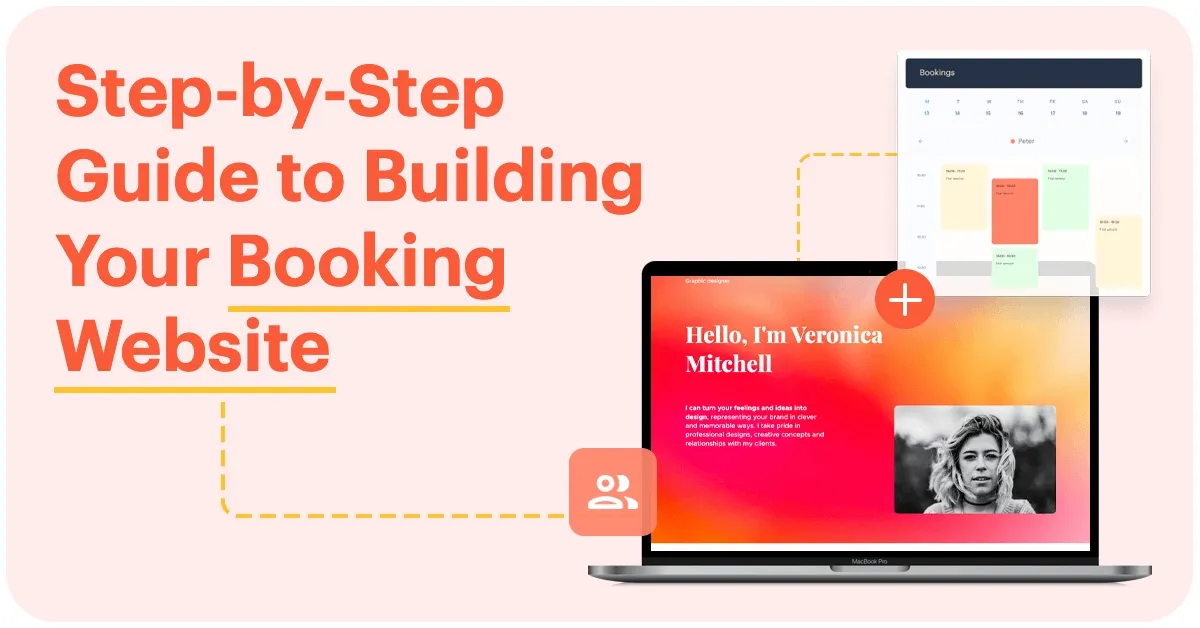
To create a booking website, you need three things: a website, a booking system, and a form where clients can pick their own time slot.
The fastest way is to use a website builder with a built-in booking plugin, like Webnode with SimplyBook.me. This gets you a fully working site in an afternoon, where customers can book, pay, and receive confirmation without a single phone call or email.
What is a Booking Website
A booking website is a website that lets people reserve a time, service, or resource without needing to call or email you. It combines a normal business website with an online scheduling system so customers can see your availability, choose a date and time, and confirm an appointment or booking in a few clicks.
Behind the scenes, the booking system manages your calendar, prevents double‑bookings, and can handle online payments, deposits, and automated confirmations. Whether you run a salon, a consulting business, or a fitness studio, a booking website acts like a 24/7 receptionist that never misses a meeting or appointment.
Practically, a good booking website will:
- Show what services you offer and how much they cost
- Display real‑time availability and time slots
- Accept bookings, cancellations, and rescheduling
- Sync with your main calendar so your schedule is always up to date
Who Needs Booking Website
Any service‑based business that works on appointments or reservations can benefit from a booking website. Typical examples include:
- Beauty, wellness, and health providers (salons, spas, massage, clinics)
- Professional services (coaches, consultants, lawyers, accountants)
- Fitness and sports (gyms, trainers, classes, courts)
- Home services (cleaners, handymen, landscapers)
Even solo freelancers who sell 1:1 sessions or strategy calls can use a website so clients can book a meeting time that fits everyone’s calendar.
Why Businesses Use Online Scheduling
Having a booking website is the core of how service-based businesses get customers and stay fully booked. Whether you run a salon, a consultancy, or offer private classes, your clients expect to schedule online, quickly and easily.

Businesses use online scheduling because it cuts admin work and makes it easier for customers to say yes. Instead of long email threads to find a time, people can book whenever it suits them - day or night, from their phone.
For a small business, that means:
- Fewer no‑shows and missed calls
- Less time spent on back‑and‑forth messages
- A clearer calendar and more predictable revenue
- Better customer experience, since clients feel in control of their appointments
How To Make A Booking Website
Choose A Website Builder With a Built-In Booking Plugin
The fastest, most reliable way to create a booking website is to use a website builder that offers a native booking plugin, like Webnode with its built-in SimplyBook.me Online Booking integration.
Webnode gives you a polished, mobile-friendly website in an afternoon, while the integrated booking engine handles all your scheduling. Together, they cover everything an appointment-based business needs, without hiring a developer or coding.
All-in-one website builders make adding online booking genuinely effortless:
- Ready-made, mobile-friendly templates designed for service businesses, salons, clinics, and consultants
- A native Online Booking plugin you add as a section, block, or page in the editor. No manual embed codes or HTML to paste
- A polished, responsive design that looks great on every device
You can also use content management systems with a booking plugin, but you will need to choose, install, and maintain extra software. For many small businesses, an all‑in‑one website builder is simpler and more reliable, especially if you don’t have technical skills.
Build your booking website with Webnode website builder
Set Up Services, Availability, And Booking Rules
Once you have your website builder and booking system, configure how your services and time slots work.
Start by listing all the services customers can book: for example, “Haircut – 45 mins”, “Initial consultation – 60 mins”, or “Double room – per night”. For each service, define:
- Duration and any buffer time between appointments
- Available staff or resources (e.g., specific rooms, chairs, or therapists)
- Price and whether tax or fees apply
Next, set your availability. Most booking tools let you create a weekly schedule (for example, Monday–Friday, 9–5) and special rules for holidays or specific dates. This is where you decide:
- Which days and hours are open for online booking
- How far in advance customers can book
- Cut‑off times (e.g., no same‑day bookings after 3pm)
It is also important to define cancellation and rescheduling policies. Your system should let you set:
- How close to the appointment time customers can cancel or reschedule
- Whether there is a fee or loss of deposit for late changes
- Whether you approve or auto‑confirm new bookings
Clear booking rules protect your business while still giving clients flexibility.
Add Payments, Reminders, And Confirmation Emails
To turn your website into a complete online booking system, connect payments and automate communications.

Most modern website builders with booking tools support major payment providers so you can accept card payments, PayPal, or local options. Decide whether customers pay:
- In full at the time of booking
- A partial deposit
- On arrival, with a card on file as security
Adding online payments reduces no‑shows and increases commitment. For higher‑risk services, deposits and prepayments offer extra protection.
Next, set up automated emails and, if available, SMS notifications. At a minimum, your website should send:
- Immediate booking confirmation with date, time, location, and service details
- Reminder messages before the meeting or appointment
- Notifications about cancellations, rescheduling, or payment issues
Many systems also let clients cancel or reschedule themselves via a link, which saves you even more admin time while still enforcing your rules.
Create your Booking Website with Webnode
Ready to put this into practice? Here's how to build a fully functional booking website with Webnode and the SimplyBook.me Online Booking plugin — start to finish, no coding required.
Step 1: Create Your Website And Customize Your Design
Start by building your site with Webnode. Choose a building with AI or pick one of the website templates suited to service businesses.

Then customize the colors, fonts, images, and content to match your brand. Add the essential pages your clients expect: services, pricing, about, and contact.

Step 2: Set Up Your Online Booking System
SimplyBook.me is one of the best tools out there for online scheduling. When you purchase SimplyBook for your Webnode site, you'll be able to:
- Add and manage your services
- Define your availability
- Accept payments
- Send automated confirmations and reminders
- Reduce no-shows with easy rescheduling
To get started, open the SimplyBook.me administration (you can jump straight there from your Webnode project). Fill in the information about your company and your opening hours. Specifically, the hours during which visitors can book your services.

Then add your providers (the employees who perform the services) and set how many customers can book at the same time. Don't forget to add the services you offer, along with their duration and price.
Once that's done, your SimplyBook.me basic setup is complete. Your visitors can now see your availability and book right away. You just need to display the booking form on your site.
Step 3: Add The Booking Form To Your Website
You can add a SimplyBook.me form to your website in just a few clicks. In the Webnode editor, click the "+" to add a new content block, section, or page, then choose Online Booking from the available options.
The booking widget automatically matches your site's color palette, so it blends in seamlessly with your design. Any changes you make later in the SimplyBook.me dashboard — new services, updated hours, different prices — appear on your website instantly.

That's it. Your website is live, your clients can schedule appointments around the clock, and you can manage everything from one place. With Webnode and SimplyBook.me, you can have a professional, automated, and mobile-friendly site up and running today. No coding, no stress.
Start now and let your clients book you anytime, from anywhere.
FAQ
The cost varies depending on your tools and needs. You may pay for:
• The website builder subscription
• The booking system or app (if it is a paid add‑on)
• Domain name and possibly email hosting
• Payment processing fees on each transaction
With Webnode, you can get started with the Standard plan for $12.90, which includes 2 languages, or choose the Profi plan for $22.90, which includes an unlimited number of languages.
You do not need coding skills. Most modern website builders provide drag‑and‑drop editors and booking widgets you can configure with forms and calendars.
You may need to make decisions about layout, content, and settings, but you will not need to write code. If you choose a more advanced setup (like a custom WordPress site with several plugins), some technical knowledge can be useful.
The easiest way to build a website for booking appointments is to:
1. Choose an all‑in‑one website builder that includes a booking system or offers an official booking app.
2. Pick a template designed for your type of business (salon, consultant, etc.).
3. Add your branding, services, pricing, and contact details.
4. Configure your booking settings - availability, calendar sync, payments, reminders.
5. Publish your website and test the full booking flow as if you were a customer.
Within a short time, you can have a website that lets clients schedule an appointment.